Guide
How to live stream an event in Nigeria
Live streaming a wedding, church service or conference in Nigeria can go very well or very badly. This guide explains what actually decides the result: internet, power, sound, cameras and planning, with a checklist you can use.
Quote within 1 hour · Open 24/7 · Free, no obligation
1. Internet: the most common reason streams fail
A stream needs a steady upload connection for the entire event. As a rough guide, a 1080p stream needs several megabits per second of upload speed that stays stable; higher quality needs more. Download speed does not help. What matters is upload speed and how stable it is.
Venue Wi-Fi is usually shared by many people and is rarely tested for streaming. A single mobile SIM can work in one hall and fail in the next. For anything important, use more than one connection: either bonding several mobile connections, or having a second independent network ready to switch to. Test at the venue, at the same time of day as your event, because networks slow down when many guests arrive and use their phones.
2. Power: plan for the light going off
Cameras, encoders, routers and sound equipment all need power. A venue generator may take time to start, or may share a circuit with air conditioners and lights. Keep the streaming equipment on its own protected supply where possible, use batteries for cameras, and keep a quiet backup generator or power station for the encoder and network equipment. Check that the venue allows it and where it can be placed.
3. Sound: more important than the picture
Viewers forgive an ordinary picture but not bad sound. Take the audio feed directly from the venue mixer rather than picking it up with a camera microphone at the back of the room. Agree who controls the mixer, check that wireless microphones have fresh batteries, and monitor the stream audio with headphones. If there is a band or choir, ask the sound team to send a balanced mix to the stream.
If you plan to play recorded music, remember that platforms can mute or block streams that contain copyrighted recordings.
4. Cameras and switching
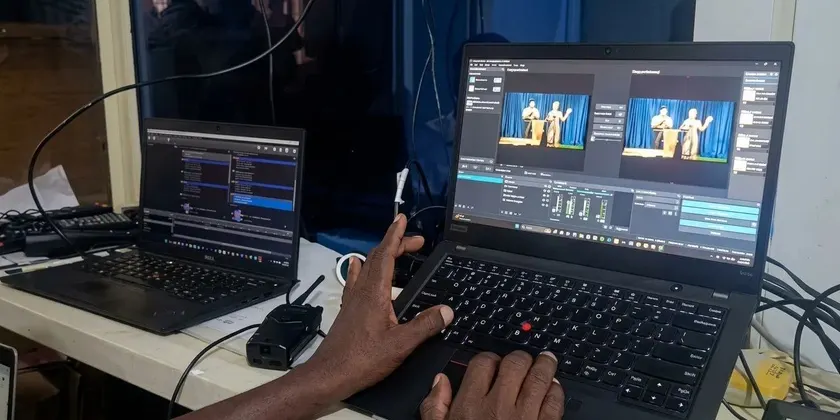
One camera is enough for a simple service. For weddings, conferences and larger church programmes, several cameras let viewers see the stage, the speaker and the audience. Each camera needs an operator, a stable tripod and a way to send its picture to a switcher, which chooses what viewers see. The switcher is usually a laptop with software or a hardware video mixer. Keep a spare camera and cables.
5. Choosing a platform
Facebook is where many families and church members already are. YouTube is easy to share and keeps the recording organised. Streaming to both at once reaches both groups, but it needs an encoder or service that can send to more than one destination. Decide in advance who should be able to watch, then set the privacy options for the stream: public, link-only or restricted. Expect a delay of a few seconds between the event and what viewers see.
6. Event-day checklist
- Arrive at least 2 hours before the event to set up and test.
- Test the connection at the venue and run a short test stream.
- Confirm the audio feed from the mixer and check every microphone.
- Charge or connect all batteries; place backup power.
- Check that every camera operator knows the order of events.
- Share the viewing link with your guests before the event starts.
- Record the stream locally as well, so you have a copy if the connection drops.
Should you do it yourself or hire a team?
A single-camera stream of a small programme can be done by a trained volunteer with a good phone or camera and a reliable connection. For a wedding, a large church programme, a conference or anything you cannot repeat, a professional team brings multiple cameras, tested connections, backup power and experience of what goes wrong. 4K Media provides this across Nigeria: see our live streaming service or contact us for a free quote within 1 hour.
Frequently asked questions
How much internet speed do I need to live stream?
It depends on the video quality, but a stable upload connection matters more than a fast download. For important events, use more than one connection rather than relying on venue Wi-Fi.
Can I live stream to Facebook and YouTube at the same time?
Yes, with an encoder or service that can send to several destinations. 4K Media does this routinely for events.
Get your free quote within 1 hour
Send your date, venue and event type. We are available 24/7, every day, and the quote is free with no obligation.